The company OS your AI can read and write
One platform for people, time, clients and money. MCP and an open API on top. AI employees inside.
Self-serve setup · No sales calls · Demo needs no signup
Every module, readable and writable over MCP by the AI tools you already use.


For every seat
One company OS, a different view
for every seat
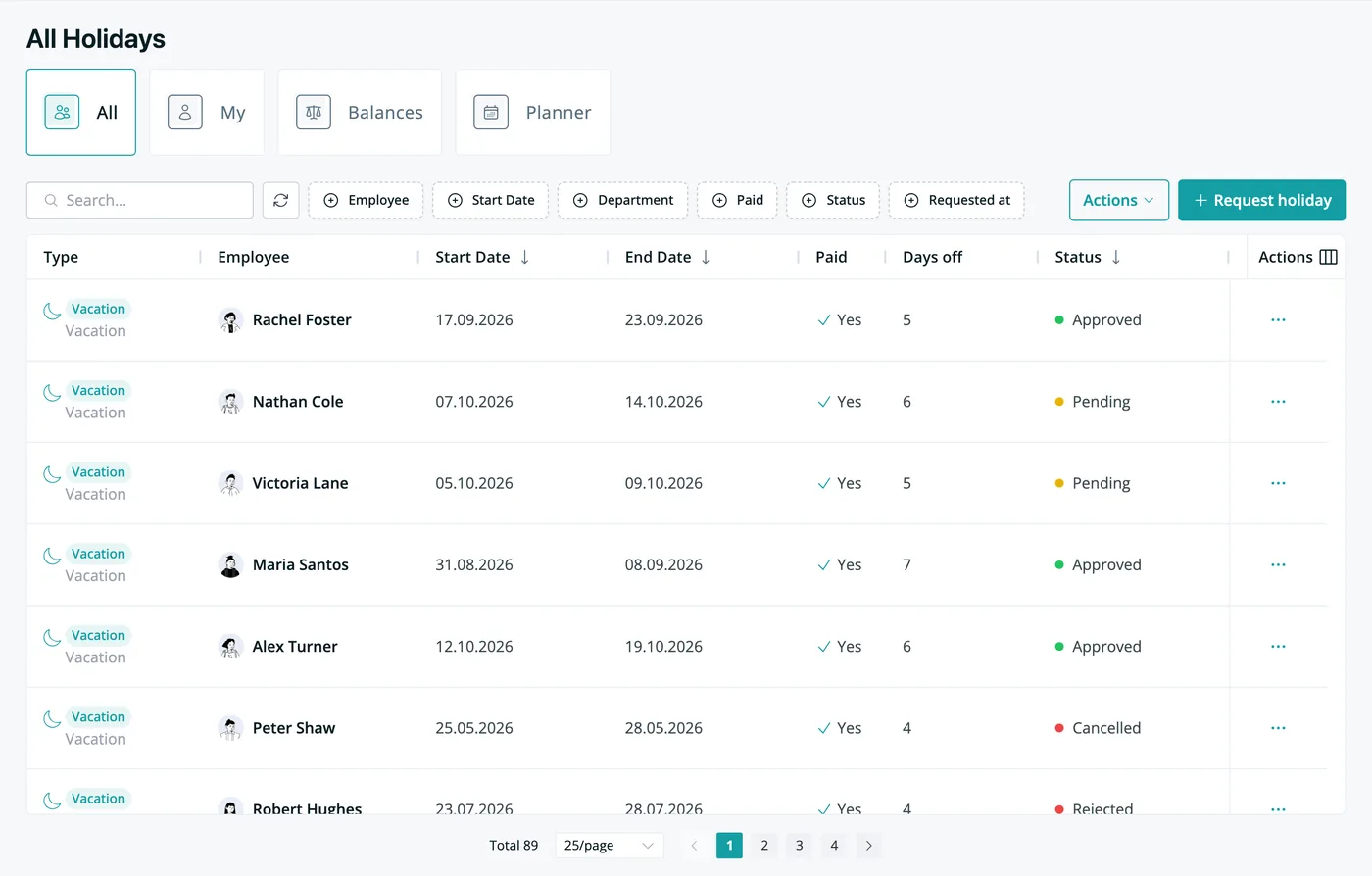
People ops, managers, employees, sales, finance and admins all work from the same live data. Pick a role to see what their day looks like in Growee. Roles are provided out of the box but you can also create your own custom roles.
Migration, handled
Your data moves in on its own
No migration project, no CSV gymnastics. Point the AI Engine at the tools you use today. It reads your spreadsheets, CRMs and drives, maps the data, and files it into the right Growee modules. Then it keeps reading and writing through MCP and the open API.
 Growee modules
Where your data lives today
 Odoo
Odoo Google Drive
 Spreadsheets
 Pipedrive
 HubSpot
Reads, maps & imports your data via MCP & open API
Growee modules
- Employees
- Leave
- Documents
- Expenses
- Leads
- "Import employees from this spreadsheet"
- "Pull contracts in from Google Drive"
- "Migrate our deals from Pipedrive"
- "Bring expenses over from Odoo"
Made local, made yours
A company OS that arrives already speaking your language
Growee ships with sensible defaults for your market, then bends to how your company actually works. In English, Romanian, or French.
COUNTRY
 United States
INDUSTRY
STEP 01
Choose your country & industry
National holidays for 100+ countries, per-country leave policies, and local touches like e-Factura for Romania, loaded from day one.
STEP 02
Personalize
Tune contract types, holiday policies, positions, levels, custom fields and custom roles. Keep the defaults or rewrite the rules.
STEP 03
It becomes yours
Your org chart, your rates, your pipeline, your logo on every invoice. A company OS shaped like your company.
Get started
Run your whole company from one login
Free for up to 3 employees. Every feature included: no tiers, no credit card. Beyond that, you pay only per managed person.
Set up in minutes · Cancel anytime
One shared schema
Every module already inside, and already connected
Core HR, recruitment, CRM, invoicing and more on a single shared schema: a hire becomes an employee, logged hours carry rates, a won deal becomes a client, and invoices draft themselves. No integrations to babysit. Every module is included in every plan.

- Core HRProfiles, org chart, departments, benefits
- LeaveRequests, balances, holiday calendars
- HiringJobs, candidates, one-click hire
- CRM & DealsCampaigns, pipeline, offers with e-signatures
- Time TrackingTimers, timesheets, approvals
- Evaluations & OKRsReviews, goals, feedback
- DocumentsTemplates, previews, expiry reminders
- AssetsTrack laptops to licenses
- ExpensesAI receipt scanning
- AI EmployeesAutonomous agents on your team list
- ReportsUtilization, capacity, profitability
- InvoicingBuilt from billable hours, e-Factura ready
Customers
Growing teams run on Growee

We use Growee across 2 separate office locations in 2 different countries. It saves us a lot of time in managing the employees and especially their absences. At our size, we had a lot of specific difficulties in having everything centralized and managing the information reliably. We tried several tools and found Growee to suit us best. The team is responsive and proactive.

We ended up replacing Lucca with Growee. Growee was on par in terms of functionality but much cheaper, and the team was close to us, which was important for us. We use Growee for leave management, employee management and time logging. It is quite easy to use, intuitive and solves our needs. After half a year we switched to a yearly plan.

We ended up using Growee after doing a penetration test for them. Working in the industry for many years, we look closely at the services we use from a security perspective. We have been using Growee for almost 2 years already and it helps us manage leaves and employees easily.
Do the math
Add up what your tool stack costs today
Tick the tools you pay for and set your team size. Growee replaces the stack with one per-person price for the core modules, plus flat add-ons only if you need them.
Team size
Drives every per-user price below
people
in your seat price
in your seat price
+€49/mo flat
+€29/mo flat
≈ €50/mo
Prices for the other tools are estimates from their public pricing pages and other publicly available sources, correct as of August 2026. Check each vendor for their current rates.
Before Growee
Estimated cost of the market tools you ticked
3 separate subscriptions for 30 people
Your Growee cost
€54 for 30 people (€2 each, first 3 free) · €49 in add-ons
You save €576 a month, €6,912 a year
FAQ
Questions & Answers
What is an HRIS?
An HRIS (Human Resources Information System) is software that keeps all employee information (profiles, contracts, leave, documents, and time) in one structured system instead of spreadsheets. Growee goes further: it is a company OS where HR, recruitment, CRM and invoicing share one schema, so a change in one place updates everywhere, and your AI can read and write it through MCP and an open API.
What is the best HR software for a small business?
The best HR software for a small business covers the essentials (employee records, leave, and time tracking) without enterprise pricing or per-module fees. Growee includes every module on every plan, is free for up to 3 employees, and charges only per managed person after that. Most teams start with time and leave, then switch on recruitment, CRM and invoicing as they grow.
How much does HR software cost?
HR software is typically priced per employee per month, and costs climb fast when vendors gate features behind tiers or charge per module. Growee keeps it simple: free for up to 3 employees with no credit card, then a single per-person price with every module (HR, time tracking, CRM, and invoicing) included. See the pricing page for the full breakdown.
What is an MCP server and why does it matter for HR software?
An MCP (Model Context Protocol) server is a standard way for AI agents like Claude, ChatGPT, and Codex to securely read and act on your business data. Growee runs an MCP server for your workspace, so your AI can answer questions ("who is off next week?") and take actions ("log 8 hours"), always inside your existing roles and permissions.
What is a leave management system?
A leave management system lets employees request time off, shows managers who's away, and keeps balances accurate automatically. Growee's leave management includes configurable holiday types, approval flows, exportable data, and national holidays for 100+ countries. And because it shares data with timesheets and projects, approved leave shows up everywhere it should.
Still have questions? support@growee.net · Trust Center: growee.ai/trust